
An AI assistant
for writing
you
need to get right.
On iPhone, the web and Chrome. One account.
Emails, applications, answers and explanations, from your notes, photos and documents. It uses what you've told it and how you like to write, can check the web, and shows the memories and sources it used.Use it in Gmail, Docs and anywhere else you type, with no workspace plugin. It changes your words where you wrote them, and Undo puts them back.Bring the job ad, the letter or your own draft. It reads them, asks what it needs to know, and writes it the way you would.

Free to start. Pro is free for 7 days, with Claude Fable 5.1, Opus 5.5 and GPT-6.1 Sol.Free to start. Pro is free for 7 days on the web, with Claude Fable 5.1, Opus 5.5 and GPT-6.1 Sol.Claude Fable 5.1, Opus 5.5 and GPT-6.1 Sol, from $9.99 a month after the trial.
Dear Hollis Pryce team,
I'd like to apply for the Junior Designer role. For the past two years I've worked freelance on brand projects, taking clients from a first brief to finished work, and almost all of it lives in Figma. Now I'd like to do that inside a studio, alongside other designers.
You asked for a portfolio with range, so I've picked three projects that each ask for something different. I'd be glad to talk you through any of them.
Hybrid in Chicago works well for me.
Best regards,
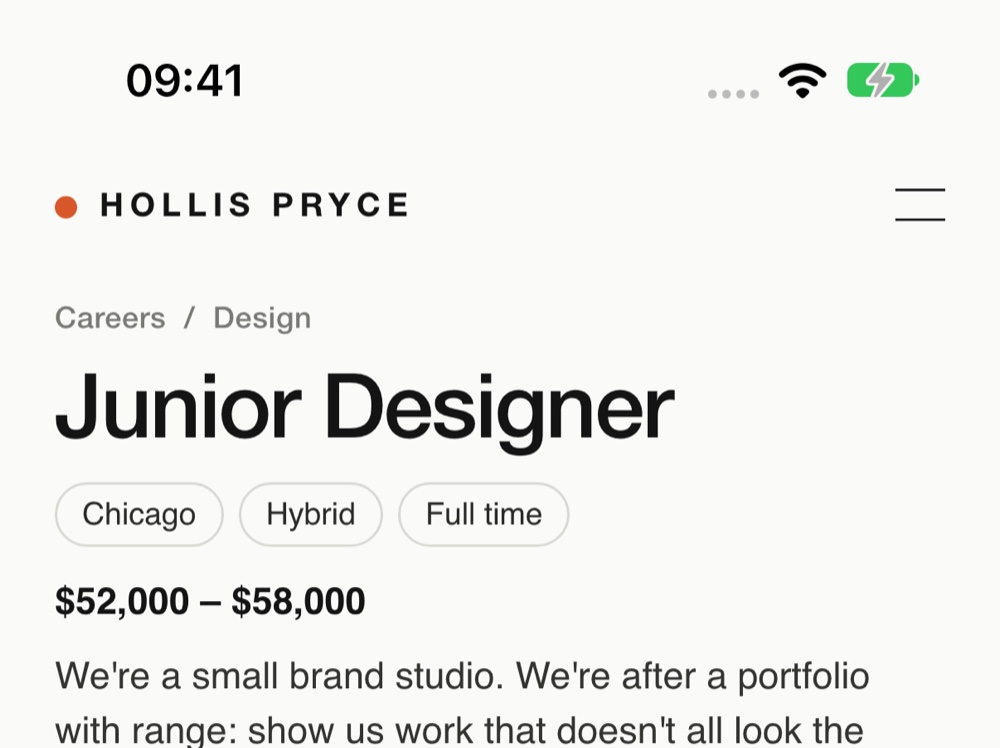
help me apply for this. use my resume
help me apply for this. use my resume
They want range more than polish, so lead with three projects that each ask for something different. Nothing in the ad asks for a degree.
Dear Hollis Pryce team,
I'd like to apply for the Junior Designer role. For the past two years I've worked freelance on brand projects, taking clients from a first brief to finished work, and almost all of it lives in Figma. Now I'd like to do that inside a studio, alongside other designers.
You asked for a portfolio with range, so I've picked three projects that each ask for something different. I'd be glad to talk you through any of them.
Hybrid in Chicago works well for me.
Best regards,
From the ad, your résumé and what you’ve told me.Claude Fable 5.1
On your iPhone and on the webOn the web
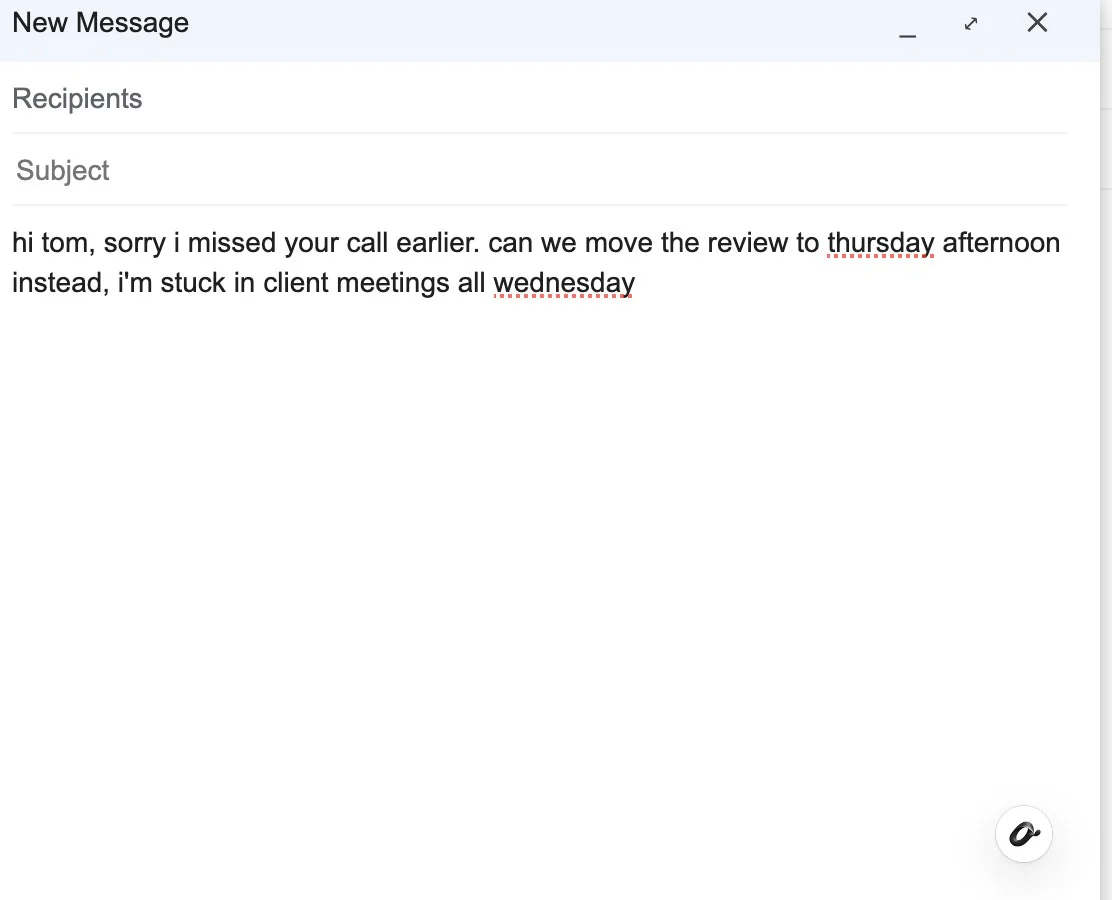
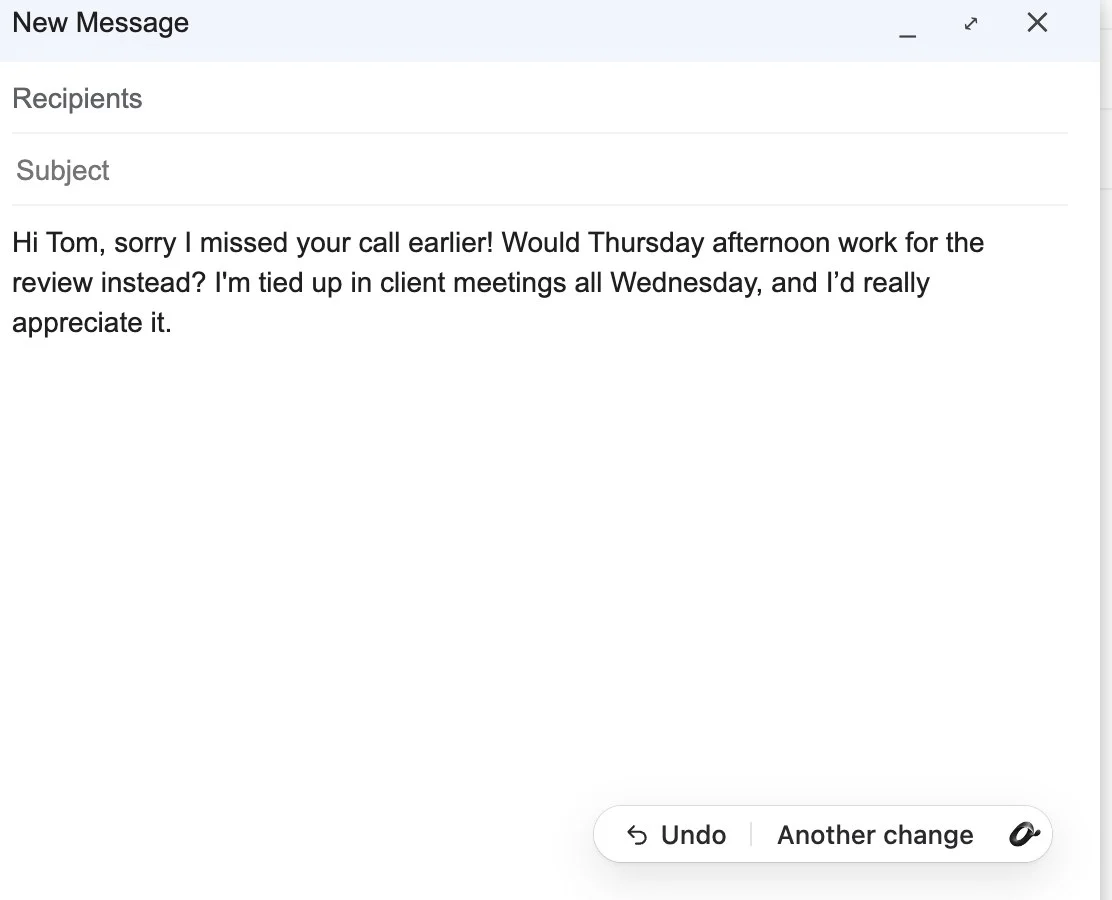
 In Gmail, with Revise for Chrome. Asked: make it warmer.
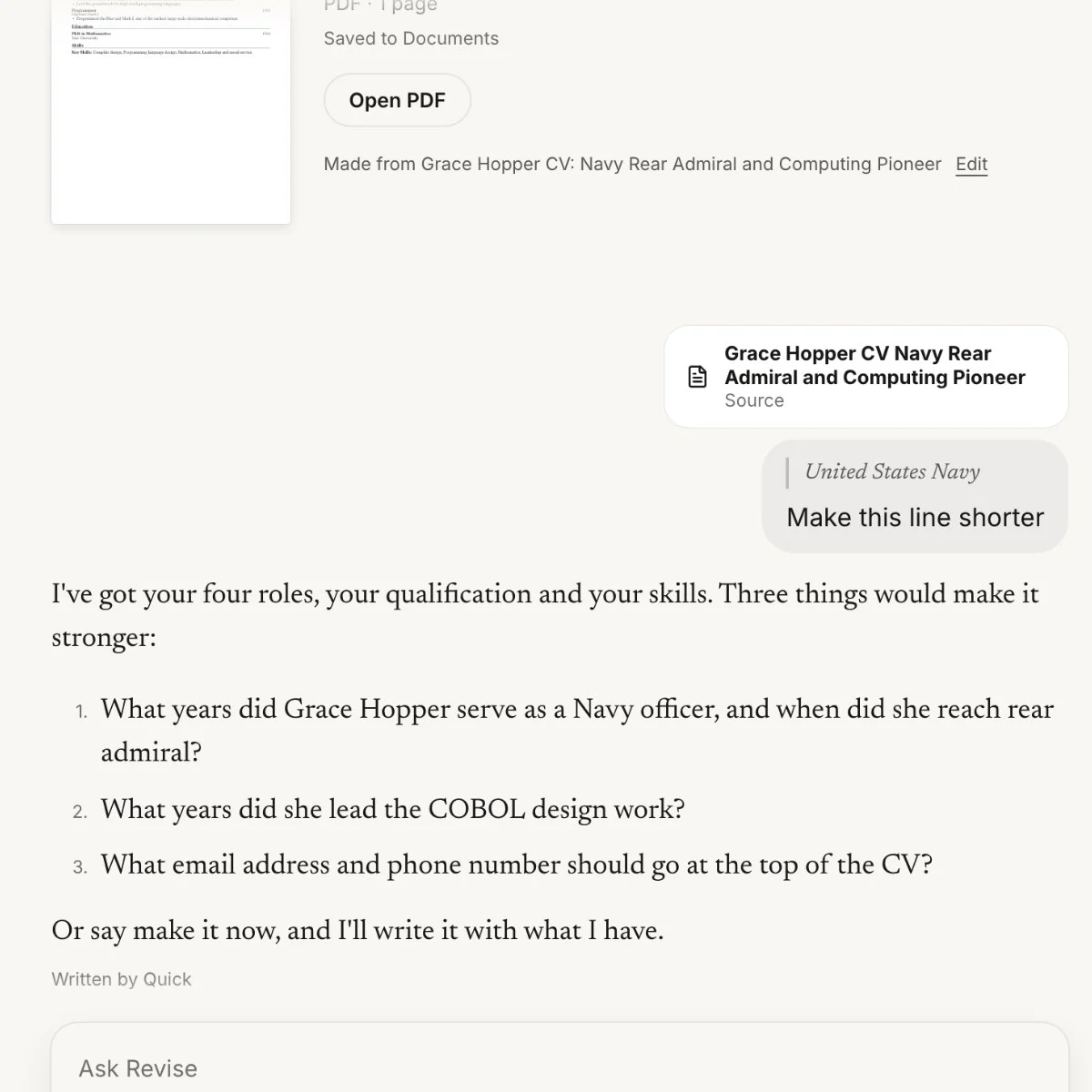 At app.revise-ai.com. It asks before it writes.
Every piece shows its work.
Dear Hollis Pryce team,
I'd like to apply for the Junior Designer role. For the past two years I've worked freelance on brand projects, taking clients from a first brief to finished work, and almost all of it lives in Figma. Now I'd like to do that inside a studio, alongside other designers.
You asked for a portfolio with range, so I've picked three projects that each ask for something different. I'd be glad to talk you through any of them.
Hybrid in Chicago works well for me.
Best regards,
What went into this letter
Your photo
Junior Designer, hybrid in Chicago. Wants range
Read just now
About you
“I want to be in a studio next, not freelancing on my own”
From a chat, Oct 2
Your résumé in Sources
Two years freelance on brand work, mostly in Figma
Dotted means a guess. Check it before you send.
The letter at the top of the page, opened up.
Say it out loud. It works out what you want, then writes it.
So I've emailed the gym twice now to cancel, and they just keep saying call us or come in. And honestly, if I call them I'll end up staying, they'll do the discount thing. I just want it done. I'm not calling them.
You want to cancel without calling them. That means an email that counts as notice, from the end of this month.
I'd like to cancel my membership from the end of this month.
I've asked twice by email and been told to call or come in. I'd rather keep this in writing, so please take this email as my notice.
Please confirm by email. I'll stop the autopay after this month's payment.
From a 14-second voice note.
Any box on the web.
Knows what your phone knows.
Portfolio
Junior Designer, Hollis Pryce
- A coffee roaster in Portland: the logo, the bags and the shop sign.
- Wayfinding for a community library, signs a seven-year-old can follow.
- A Figma kit so a food bank's volunteers can make their own posters.
Why these three
You asked for range, so each of these asks for something different: a brand that has to work on a coffee bag and a shop sign, signs a seven-year-old can follow, and a kit that lets people who aren't designers make something that looks right. Two years of freelance work taught me to start from the brief, not from a style.

Written in Google Docs with Revise for Chrome. No separate Google Docs add-on.
From four words, the Doc above them, and what it knew from your iPhone.
Works in Docs, Gmail, Outlook and most of the web.
Know where you stand. Then say so.
Emergency room physician (out of network): $1,240. Your plan paid $310. You owe: $930.
got this after the ER. do i really owe this?
Probably not. For emergency care, an out-of-network doctor can’t bill you more than you’d pay in network. That’s the No Surprises Act, in force since January 2022.
Ask them to rebill it at your in-network cost. If they won’t, you can file a complaint with the No Surprises Help Desk.
Checked on cms.gov
Used your photo and 1 page.
Every writer works from what Revise knows.
On Claude it comes included from $100 a month. On Revise you can try it free.
Get Revise for iPhoneTry Fable 5.1 freeEveryday writing runs on Claude Sonnet 5.5. On Pro it doesn't run out.
All four are in the free trial. Pick the writer for each piece.
“It’s the only place on my iPhone where I can get some actual high-quality cover letters drafted and edited, that aren’t generic and can be sent off.
ChatGPT didn’t do the job for me as a paying user.”
Pricing
Start free. Pay when it earns it.
Revise is an AI assistant for writing you need to get right, on iPhone, the web and Chrome. It uses what you've told it and what you show it, can check the web, and shows the memories and sources it used. Pro is $9.99 a month on the web, with 7 days free.
These are the web's prices, and a web plan works in the iPhone app too. In the App Store, Pro is $14.99 a month with 7 days free, billed by Apple.